
















Key Takeaways
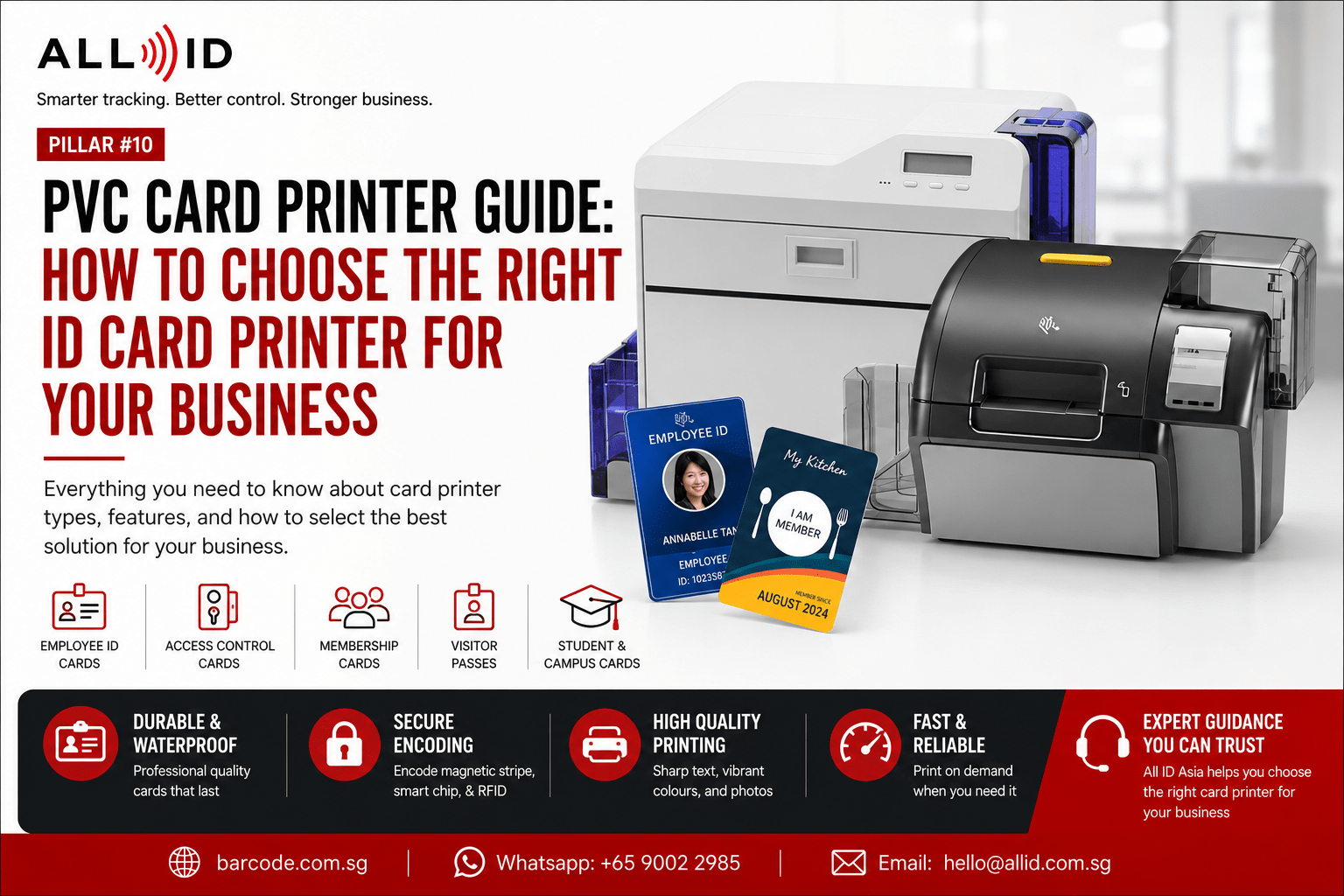
- PVC card printers are purpose-built to print durable, waterproof ID cards on rigid plastic media – they are not standard office printers and should not be confused with inkjet or laser printers.
- The best ID card printer for your organisation depends on print volume, card type (plain PVC or embedded-chip access cards), encoding needs, and security requirements.
- You must select between Direct-to-Card and Retransfer printers for various applications. Each technology suits different card surfaces and quality expectations.
- All ID Asia helps businesses across Singapore and the ASEAN select the best card printers, ribbons, and PVC cards for staff IDs, access control, and membership programs. Browse our card printer models and PVC card printers to get a better understanding.
Most modern organisations rely on ID card printers to create staff ID cards, access badges, visitor passes, student cards, and membership cards. This enables businesses to print access-controlled staff IDs each time a new hire starts or issue branded membership cards to walk-in customers on the spot, depending on the operational needs.
A dedicated card printer lets businesses print PVC cards in-house and on demand, removing the delays and data-handling risks that come with outsourcing to external bureaus. Replacement cards can be issued in minutes rather than days.
All ID Asia (barcode.com.sg) is a regional AIDC solutions provider offering card printers, ribbons, and PVC cards alongside access control and registration systems. This pvc card printer guide will help you understand card printer types, key features, and how to choose the right model for your printing needs.
What Is a Card Printer?
An ID card printer is a specialised machine designed to print directly onto plastic cards – typically CR-80 PVC cards sized 85.6 × 54 mm. Unlike office inkjet or laser printers, it handles rigid card materials, uses thermal ribbons or retransfer films, and can include modules to encode magnetic stripes, contact smart chips, or RFID chips.
For businesses using contactless access credentials, understanding RFID technology for access control can also help when choosing card printers with encoding capabilities.
ID card printers use YMCKO color ribbons for printing. The dye-sublimation process embeds color into the PVC card surface, producing waterproof and smudge-resistant ID cards with photos, text, and logos. Resolution is typically 300 dpi for entry-level models and up to 600 dpi on higher-end retransfer printers, ensuring precision for fine text and gradient designs.
Form factors range from compact desktop card printers that sit on a reception counter to robust units built for high-volume issuance centers. All ID Asia supplies these printers as part of wider identification and access solutions, whether you are looking for single-sided retransfer printers for basic photo ID cards, high-capacity dual-sided printers for efficient dual-sided printing, or secure issuance printers for encoding access control credentials. ALL ID Asia has got you covered.
What Is a PVC Card Printer Used For?
A PVC card printer is optimised for printing on polyvinyl chloride cards – the standard material for durable ID and access cards worldwide. Common applications include:
- Employee ID cards: staff photos, names, departments, and company branding printed for offices and factories, often paired with access control encoding.
- Access control cards: printing on RFID or proximity PVC cards used with door readers in data centers, hospitals, and secure facilities.
- Membership cards: gyms, clubs, and loyalty programs issue personalized cards on demand for new sign-ups and customers.
- Visitor passes: temporary cards for corporate guests or contractors, sometimes combined with a barcode or QR code for visitor tracking. If your ID or visitor cards include QR codes or barcodes, it is also useful to understand the difference between 1D and 2D barcode scanners for accurate scanning.
- Loyalty and gift cards: retail stores and F&B chains create branded stored-value cards to encourage repeat visits.
- Student and campus cards: schools and universities use PVC cards for identification, library access, and cashless payments.
Types of Card Printers
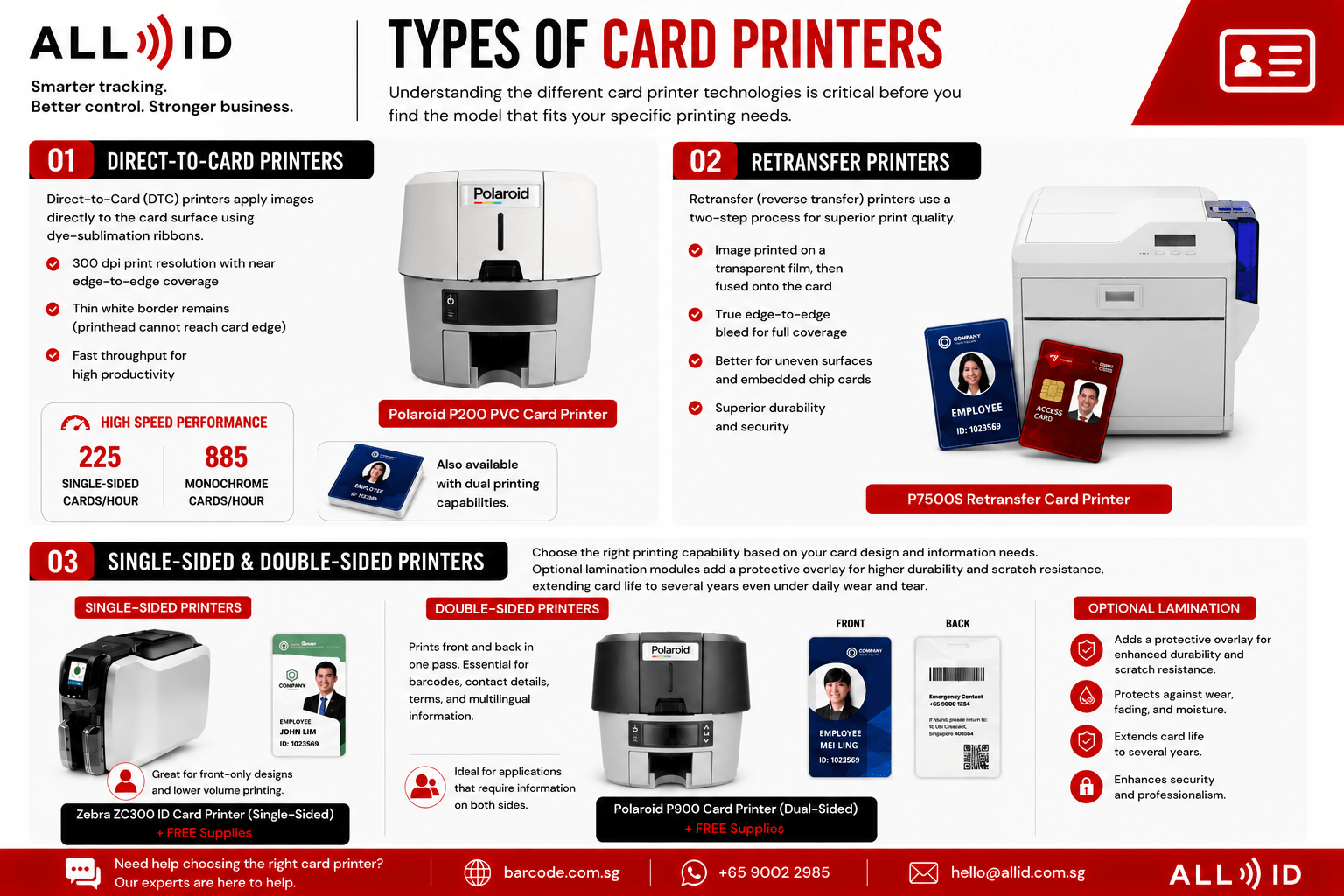
Understanding the different card printer technologies is critical before you find the model that fits your specific printing needs. ID card printers can be single or double-sided, and the core print technology falls into two categories.
Direct-To-Card Printers
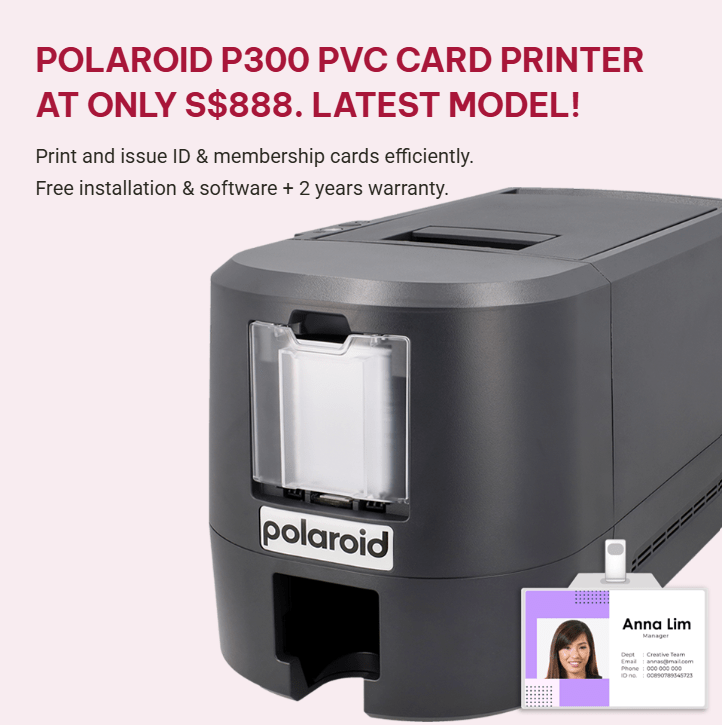
Direct-to-Card (DTC) printers apply images directly to the card surface using dye-sublimation ribbons. They typically print at 300 dpi with near edge-to-edge coverage, though a thin white border remains because the printhead cannot reach the card edge. DTC printers offer quick throughput – for example, the Polaroid 300 Card Printer – Single Sided can print 185 single-sided cards per hour while its monochrome printing speed is at 750 single-sided cards per hour. This printer is also available with dual printing capabilities.
Retransfer Printers
Retransfer (reverse transfer) printers use a two-step process: the image is first printed onto a transparent film, then fused onto the card under heat and pressure. This delivers true edge-to-edge bleed and better coverage on uneven surfaces like smart cards with embedded chips.
Retransfer printers are ideal for organisations that need premium print quality, stronger durability, and enhanced security features. For example, the P7500S Retransfer Card Printer is suitable for businesses that require high-quality ID cards, access cards, membership cards, or smart cards with a more professional finish. It comes with a print speed of 100 cards per hour and produces vibrant, edge to edge printing with outstanding clarity.
For businesses comparing broader Zebra hardware options beyond card printing, our Zebra printers and industrial barcode hardware guide explains how Zebra printers and industrial barcode hardware support operational workflows.
Single-Sided and Double-Sided Printers
Single-sided card printers handle front-only designs and are a good fit for basic ID cards at lower volumes, offering a simpler setup. For example, the Zebra ZC300 ID Card Printer (Single-Sided) is suitable for businesses that only need to print essential front-facing details such as employee names, photos, company logos, and ID numbers.
Dual-sided card printers print on the front and back of the card in one pass. This is useful when businesses need to include barcodes, emergency contact details, terms and conditions, access information, or multilingual details on the reverse side. For example, the Polaroid P900 Card Printer (Dual-Sided) is a suitable option for organisations that require more complete card information without manually refeeding each card.
Optional lamination modules add a protective overlay for higher durability and scratch resistance, extending card life to several years even under daily wear and tear.
How to Choose the Right Card Printer
There is no single best ID card printer for everyone. Therefore, it is necessary to choose printers based on your organisation’s specific needs by evaluating the factors below.
- Print volume – consider the volume of cards needed for printing. A small office issuing 50–100 ID cards per month differs greatly from a university printing thousands at semester start. High-speed printers are essential for large-volume printing.
- Card type – print technology must match the card type for optimal results. Plain PVC, composite PVC, or technology cards (MIFARE, HID, magnetic stripe) each impose different requirements. Retransfer models handle uneven chip surfaces without risk to the printhead.
- Print quality – evaluate whether 300 dpi suffices or whether 600 dpi is needed for fine logos, gradients, or design elements that demand color fidelity and precision.
- Security features – options include UV printing, holographic overlays, lamination, and secure ribbons. These are critical for government IDs or university cards where counterfeiting must be minimised.
- Encoding requirements – ensure the printer supports encoding for magnetic stripe, contact, or contactless smart cards so that ID cards and access credentials are issued in a single pass, improving efficiency.
- Single vs dual-sided – evaluate whether single or double-sided printing is required. If only a photo and name appear on the front, a single-sided card is enough. If regulatory text, barcodes, or multilingual information must appear on the back, a dual-sided model is the better choice.
- Software and integration – card design and issuance software should integrate with HR, visitor management, or access control systems. All ID Asia can help configure these integrations for you.
- Budget and total cost of ownership – Total Cost of Ownership includes consumable costs and warranty. Factor in ribbons, PVC cards, maintenance kits, and potential downtime. Balancing upfront price against long-term reliability and local support prevents costly surprises.
Which Card Printer Is Best for Different Business Types?
Different environments place different demands on ID card printers, from printing speed to security and durability.
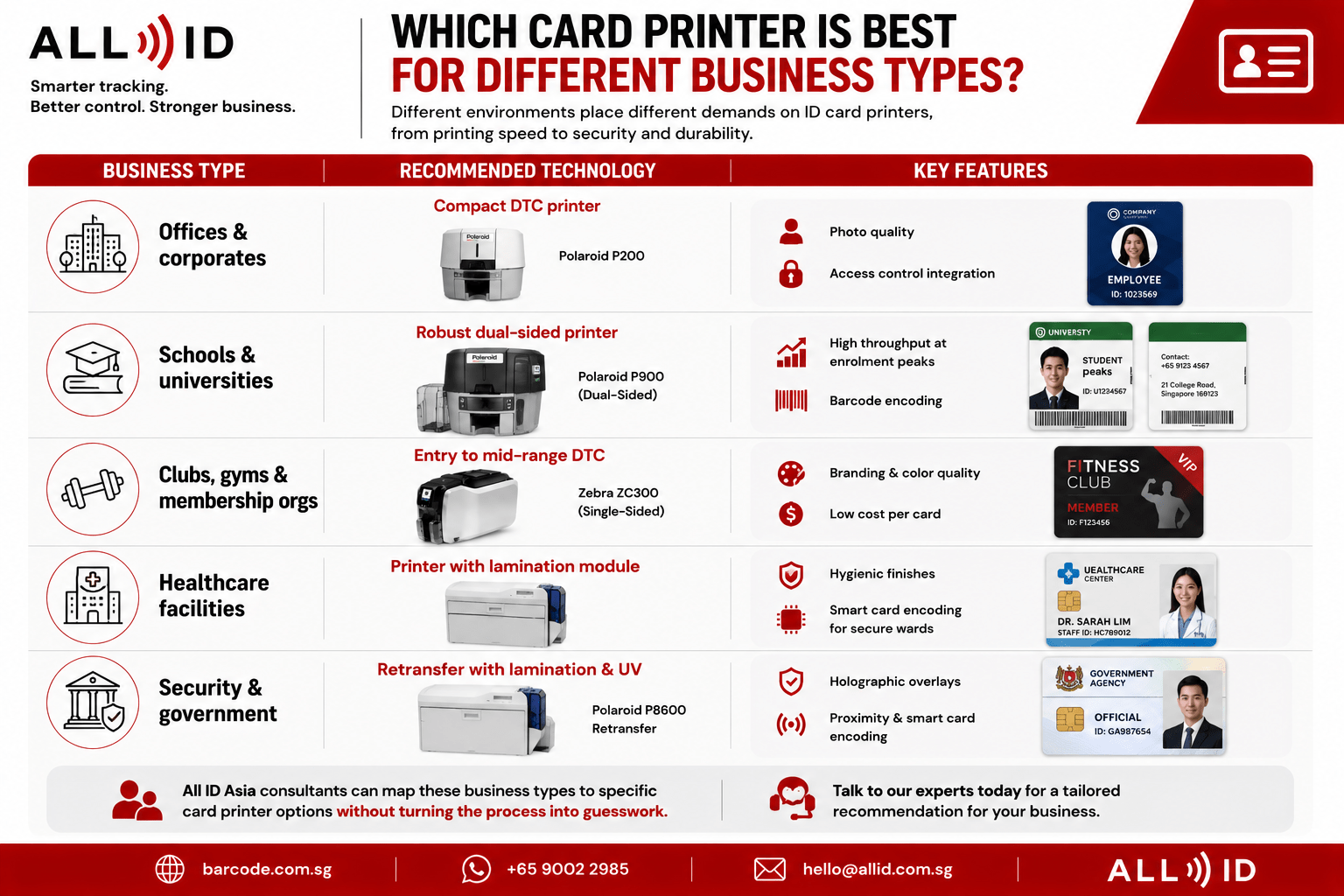
| Business Type | Recommended Technology | Key Features |
| Offices & corporates | Compact DTC printer | Photo quality, access control integration |
| Schools & universities | Robust dual-sided printer | High throughput at enrolment peaks, barcode encoding |
| Clubs, gyms & membership orgs | Entry to mid-range DTC | Branding, color quality, and low cost per card |
| Healthcare facilities | Printer with lamination module | Hygienic finishes, smart card encoding for secure wards |
| Security & government | Retransfer with lamination & UV | Holographic overlays, proximity, and smart card encoding |
All ID Asia consultants can map these business types to specific card printer options without turning the process into guesswork.
When Should You Use a PVC Card Printer for ID & Access Solutions?
In-house ID card printing makes sense whenever you need to issue or replace cards at short notice. Frequent onboarding, high card loss rates, or events requiring instant badge issuance all favour an on-site machine over outsourcing.
Consider a Singapore retail chain opening new outlets; the new staff will need ID cards printed within hours, not days. An in-house printer gives businesses that quick turnaround plus full control over personal data and access credentials, ensuring compliance with data protection requirements. Businesses managing staff IDs together with stock, assets, or access records may also benefit from a connected inventory management software setup for better operational visibility.
Outsourcing may still be the right option for extremely low annual volumes or highly complex ID programs with fixed specifications beyond standard card printer capabilities. All ID Asia can design hybrid setups where critical cards are printed in-house while bulk or high-security projects are managed as integrated solutions.
Common Mistakes to Avoid When Buying an ID Card Printer
Many businesses focus only on price and end up with card printers that do not match their real printing needs. Avoid these common mistakes:
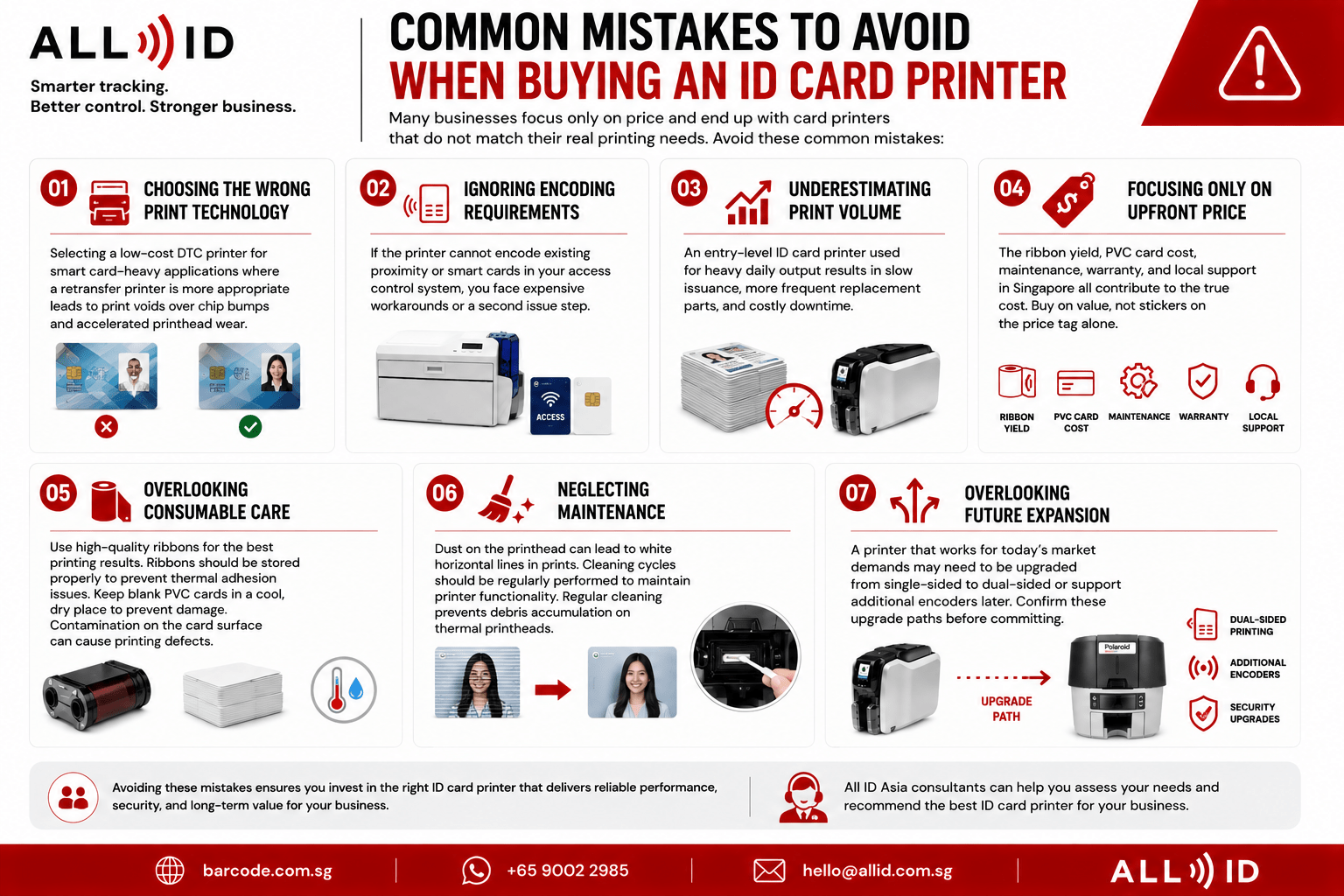
- Choosing the wrong print technology: Selecting a low-cost DTC printer for smart card-heavy applications where a retransfer printer is more appropriate leads to print voids over chip bumps and accelerated printhead wear.
- Ignoring encoding requirements: If the printer cannot encode existing proximity or smart cards in your access control system, you face expensive workarounds or a second issue step.
- Underestimating print volume: An entry-level ID card printer used for heavy daily output results in slow issuance, more frequent replacement parts, and costly downtime.
- Focusing only on upfront price: The ribbon yield, PVC card cost, maintenance, warranty, and local support in Singapore all contribute to the true cost. Buy on value, not stickers on the price tag alone.
- Overlooking consumable care: Use high-quality ribbons for the best printing results. Ribbons should be stored properly to prevent thermal adhesion issues. Keep blank PVC cards in a cool, dry place to prevent damage. Contamination on the card surface can cause printing defects.
- Neglecting maintenance: Dust on the printhead can lead to white horizontal lines in prints. Cleaning cycles should be regularly performed to maintain printer functionality. Regular cleaning prevents debris accumulation on thermal printheads.
- Overlooking future expansion: A printer that works for today’s market demands may need to be upgraded from single-sided to dual-sided or support additional encoders later. Confirm these upgrade paths before committing.
Browse Card Printers & PVC Card Printers
Ready to view the range of ID card printers available? Explore All ID Asia’s PVC card printers to compare printing speed, resolution, encoding options, and suitability for ID cards or high-security access cards.
Businesses can also order printers, ribbons, and PVC cards online or contact our team via email for tailored advice, bundled products, or to request a demonstration. Our goal is to add real value to your project, not just ship a box.
FAQs
What is a PVC card printer?
A PVC card printer is a dedicated device that uses thermal or dye-sublimation technology to print durable, waterproof images and text directly onto plastic PVC cards. These printers handle card-sized media (CR-80) and often support encoding for magnetic stripe or RFID access cards, making them the standard tool for producing ID cards, access badges, and membership cards.
What is the difference between a card printer and a PVC card printer?
“Card printer” is a broad term covering any printer that can print on plastic cards. “PVC card printer” refers specifically to models optimized for standard PVC ID cards. Some high-end retransfer printers also work with composite or polycarbonate cards, but PVC remains the most common substrate for everyday ID cards across the market.
Which card printer is suitable for employee ID cards?
Most offices can start with a reliable direct-to-card printer capable of single or dual-sided printing, depending on how much information must appear on the ID card. Environments with door access systems using proximity or smart cards should choose a printer that includes the correct encoders so ID cards and access cards can be issued in a single step, ensuring ease of use and operational efficiency.
Do I need single-sided or dual-sided card printing?
Single-sided printing is usually enough for simple employee ID cards showing only a name, photos, and company logo on the front. Dual-sided printing is recommended for organisations that need barcodes, QR codes, terms and conditions, emergency contact details, or multilingual information printed on the back of each ID card.
Can card printers handle access cards and membership cards?
Yes. Most modern ID card printers can print on standard PVC cards used for both access control and membership applications, provided the card body is compatible with the printer’s technology. If access cards include embedded chips (MIFARE, DESFire, HID, UHF), buyers should select a printer model with suitable encoding modules. All ID Asia can help match printer capabilities to existing systems – read more or reach out to the team for guidance.
Conclusion: Turning Printing Needs into a Practical Card Printer Plan
Choosing the best ID card printer involves balancing print quality, volume, security, card type, and budget rather than focusing on price alone. Therefore, it’s important to list your core printing needs and decide on key features like single vs dual-sided printing and encoding options before committing to a printer.
Visit the All ID Asia card printers and PVC card printers category page to browse card printer models and PVC card printers that match your requirements. Whether you need time-sensitive advice on a specific model, GST-inclusive pricing, or a full ID and access control solution integrating hardware, software, and consumables, All ID Asia is ready to support your next project across Singapore and ASEAN.
