









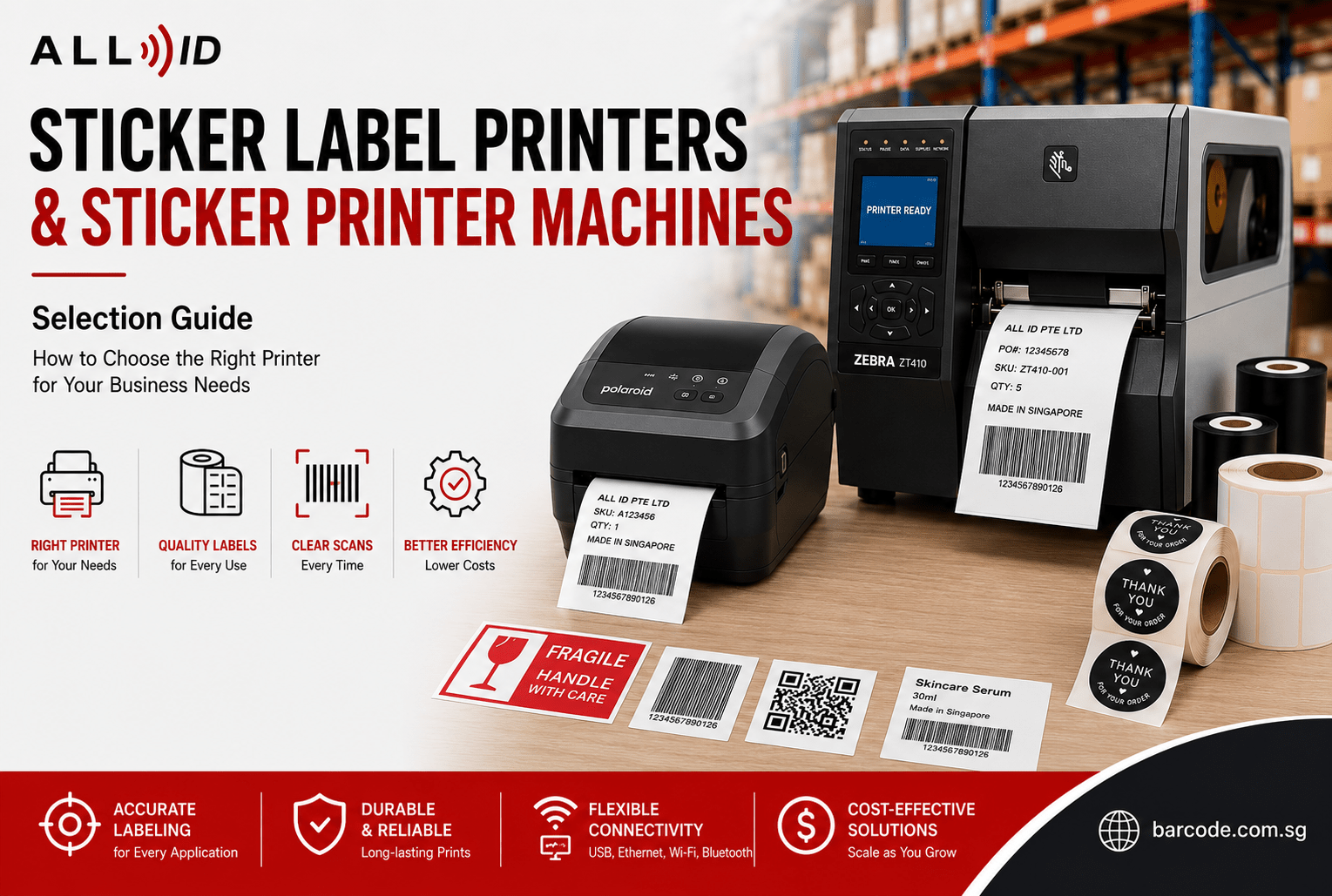
Choosing the right sticker label printer can significantly improve efficiency, accuracy, and consistency across daily business operations. From shipping labels and barcode tracking to product packaging and retail pricing, businesses today rely heavily on reliable labelling systems to support inventory management, logistics, branding, and compliance in various ways.
A poorly chosen printer can lead to barcode scanning errors, faded labels, workflow delays, and unnecessary operational costs. On the other hand, selecting the right label printer machine helps businesses streamline labelling tasks while ensuring labels remain readable, durable, and professional-looking with perfect results.
Whether you run a retail store, warehouse, clinic, manufacturing facility, or e-commerce business, understanding how different printers work will help you choose the right solution for your operational needs and budget plan.
What Is a Sticker Label Printer?
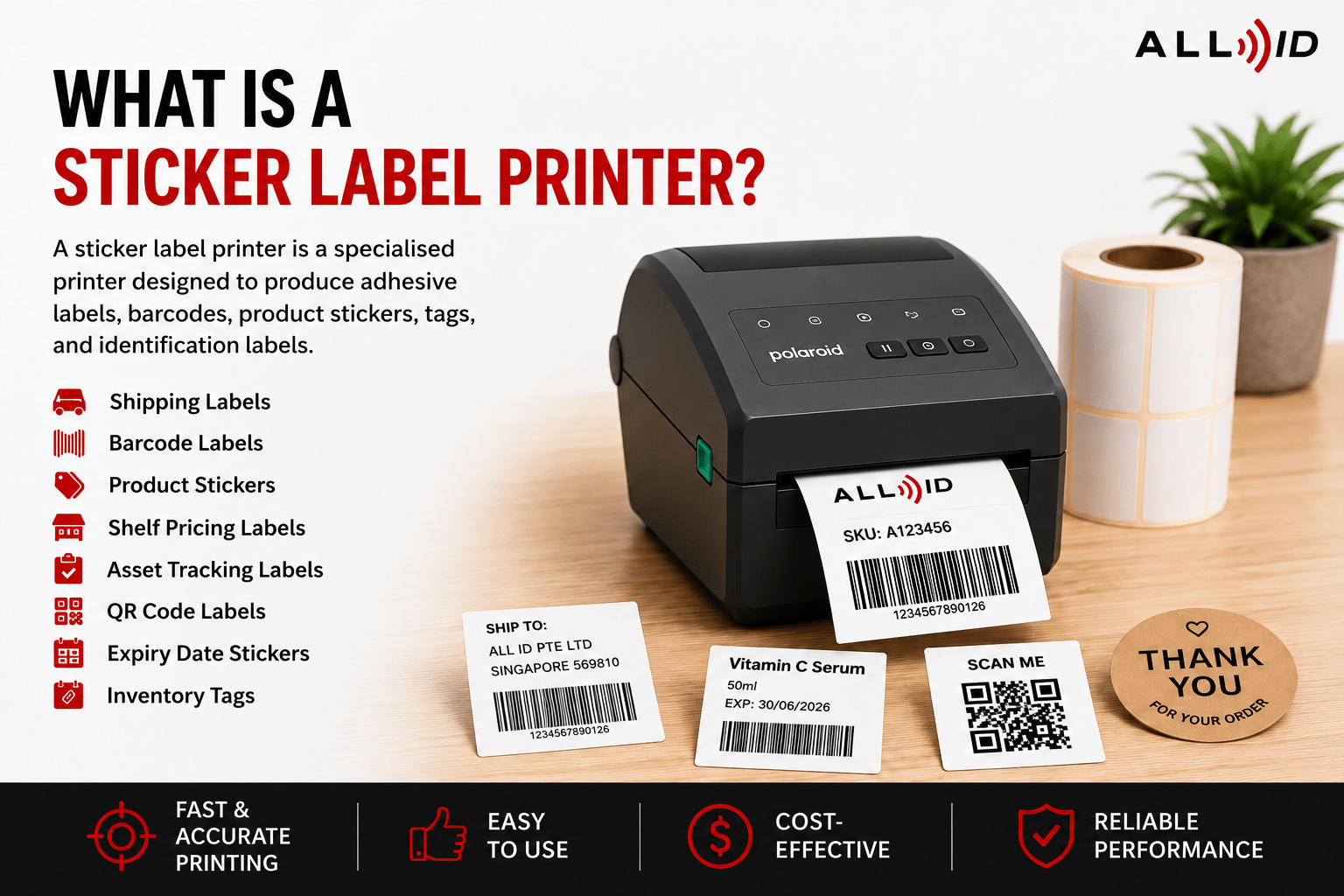
A sticker label printer is a specialised printer designed to produce adhesive labels, barcodes, product stickers, tags, and identification labels. Unlike standard office printers, these systems are built specifically for label production and can handle continuous rolls, die-cut labels in various shapes, barcode formats, and a variety of adhesive materials including matte, glossy, and white or black tapes.
Businesses commonly use these printers for:
- Shipping and courier labels
- Barcode labels
- Product packaging stickers
- Shelf pricing labels
- Asset tracking labels
- QR code labels
- Expiry date stickers
- Inventory identification tags
For example, a warehouse may print thousands of shipping labels daily, while a café may use compact printers to create expiry date stickers for food containers. A cosmetics company may require waterproof product labels, whereas a clinic may need durable patient identification labels that remain readable throughout handling and storage.
As label printers are purpose-built for these tasks, they are typically faster, more accurate, and more reliable than standard office printing setups. Furthermore, they come with low maintenance requirements.
Sticker Printer Machine vs Label Printer Machine: Is There a Difference?
The terms sticker printer machine and label printer machine are often used interchangeably.
In most business environments, both refer to equipment designed for printing adhesive labels and stickers. However, there can be slight differences in how people use the terms.
“Sticker printer” is sometimes associated with colourful branding stickers, packaging decals, or promotional product labels, while “label printer” often refers to barcode labels, operational tags, shipping labels, and inventory tracking applications.
In practice, modern label printers can often handle both functions depending on the print technology, label material, and printer specifications.
For businesses, the more important consideration is not the terminology itself, but whether the printer can support:
- the required label material
- print durability
- barcode readability
- daily print volume
- workflow requirements
Types of Sticker Label Printers
Different businesses require different types of printers depending on print volume, operating conditions, label lifespan, and application needs.
Direct Thermal Printers
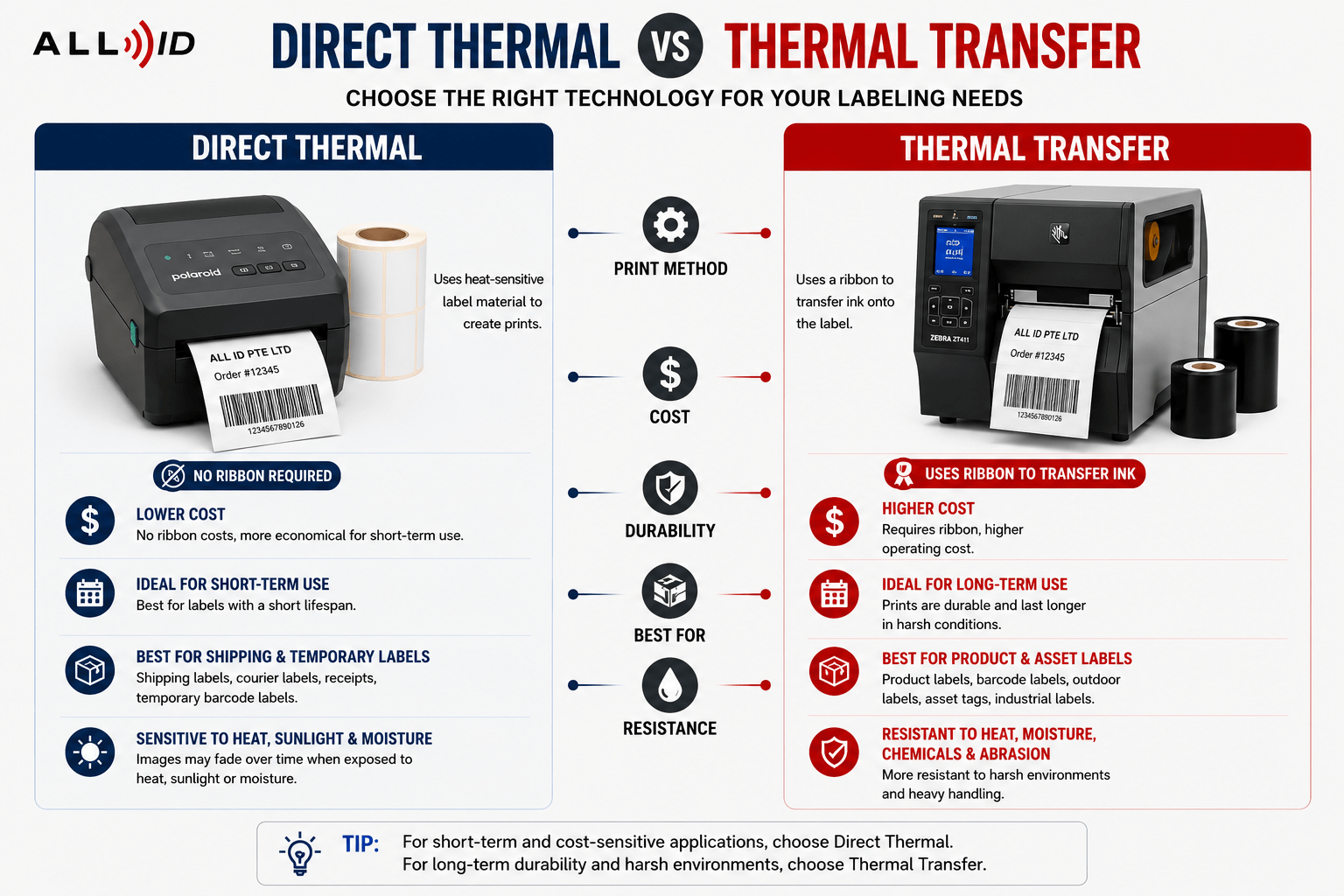
Direct thermal printers use heat-sensitive label material to create printed images without requiring ribbons, ink, or toner. They are practically maintenance-free and highly cost-effective.
They are commonly used for:
- Shipping labels
- Courier labels
- Retail receipts
- Temporary barcode labels
- Food delivery labels
A logistics company printing high volumes of 4×6 shipping labels daily may benefit from direct thermal technology because it is fast, cost-effective, and requires minimal maintenance.
However, these labels can fade over time when exposed to direct heat, sunlight, moisture, or friction. This makes them more suitable for short-term applications rather than long-term product identification.
Thermal Transfer Printers
Thermal transfer printers use a heated ribbon to transfer ink onto the label surface.
These printers are ideal for:
- Product packaging labels
- Long-term barcode labels
- Outdoor labels
- Chemical-resistant labels
- Asset tracking labels
- Manufacturing identification tags
Thermal transfer printing offers stronger durability and better resistance to abrasion, moisture, chemicals, and heat.
One thing to pay attention to is ribbon selection:
- Wax ribbons are suitable for paper labels
- Wax/resin ribbons provide improved smudge resistance
- Resin ribbons are ideal for outdoor, chemical, or high-heat environments
For example, if you run a manufacturing facility, labelling machinery components or electrical equipment would typically require thermal transfer printing to ensure labels remain readable over time.
Desktop Label Printers
Desktop models are compact systems designed for low to medium-volume printing.
They are commonly used by:
- Small and Medium Enterprises (SMEs)
- Retail stores
- Clinics
- Small warehouses
- Online sellers
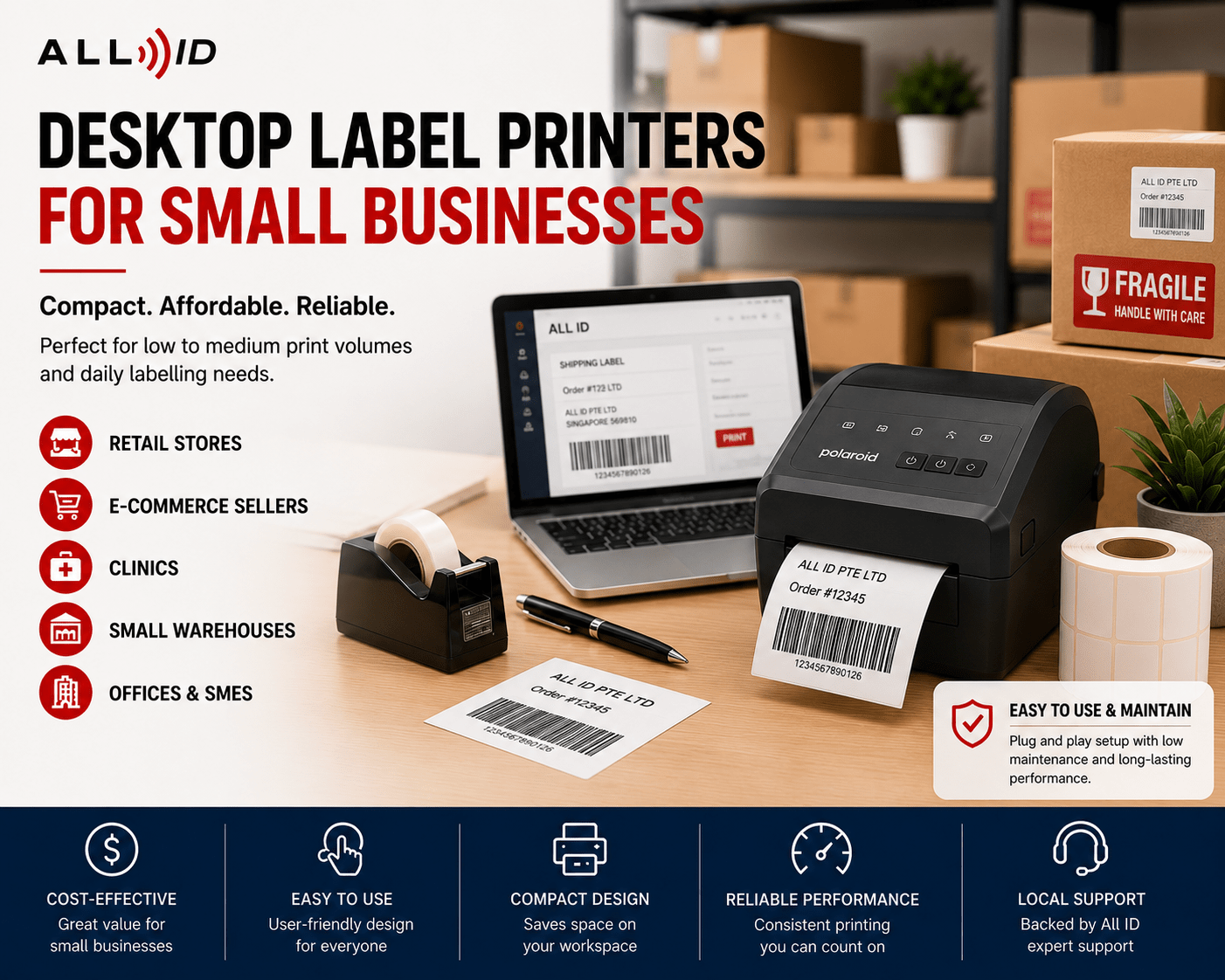
A growing e-commerce business printing several hundred shipping labels daily may find a desktop sticker printer for small business operations both practical and cost-effective.
These printers usually support 4-inch labels and fit comfortably on office desks, packing stations, or retail counters.
Many desktop models now offer inkjet technology for vibrant colour printing on glossy or matte sticker paper, ideal for branding and product labels.
Industrial Label Printers
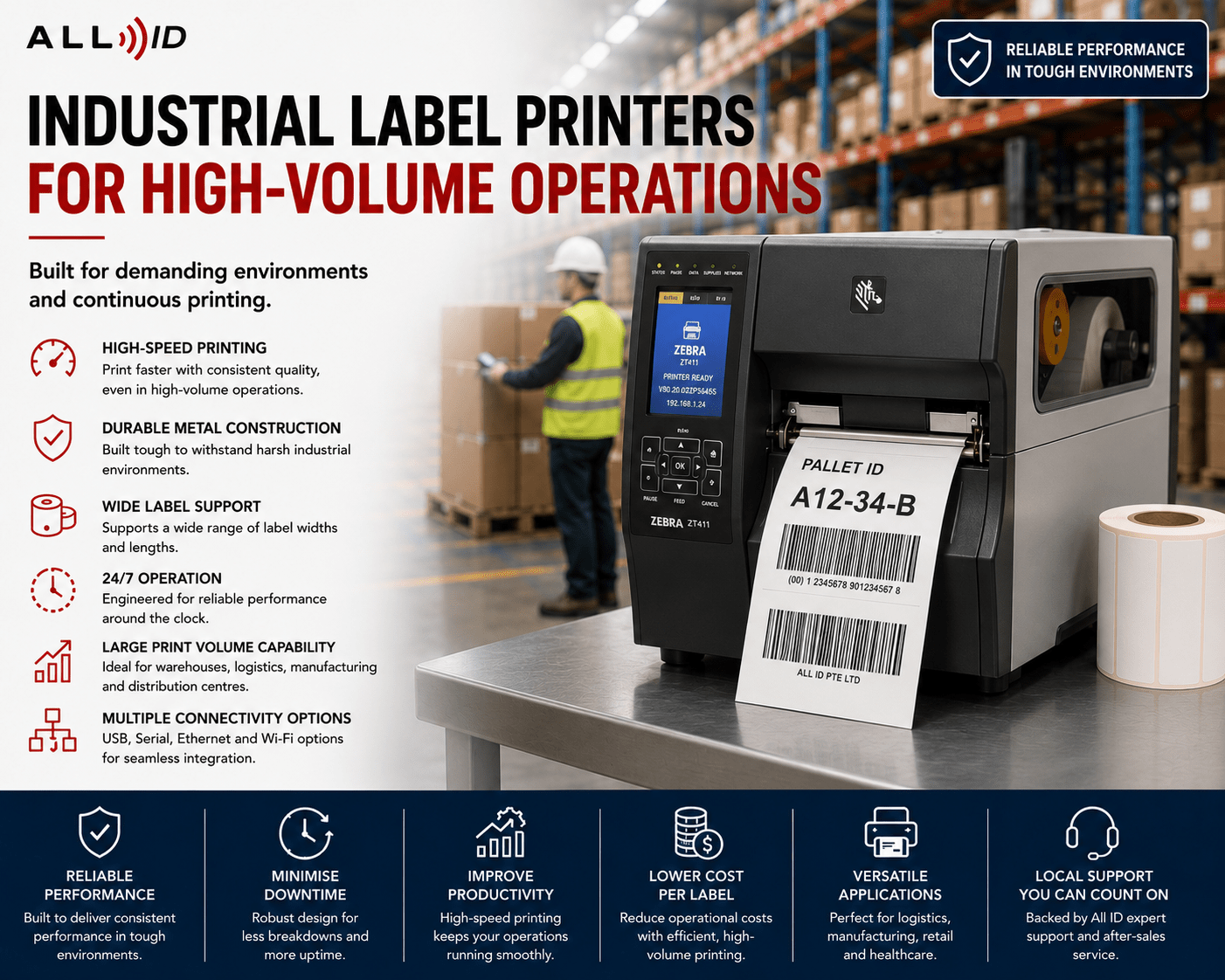
Industrial printers are built for demanding, high-volume environments.
They are commonly used in:
- Warehouses
- Manufacturing facilities
- Distribution centres
- Production lines
- Logistics operations
These printers are designed for continuous operation where thousands of labels may be printed daily.
Compared to desktop units, industrial models typically offer:
- Faster print speeds
- Larger media capacity
- Stronger durability
- Better long-term performance under heavy workloads
For businesses operating multiple shifts or large-scale inventory systems, industrial printing systems often provide better operational reliability and integration with PC or mobile devices.
How to Choose the Right Printer
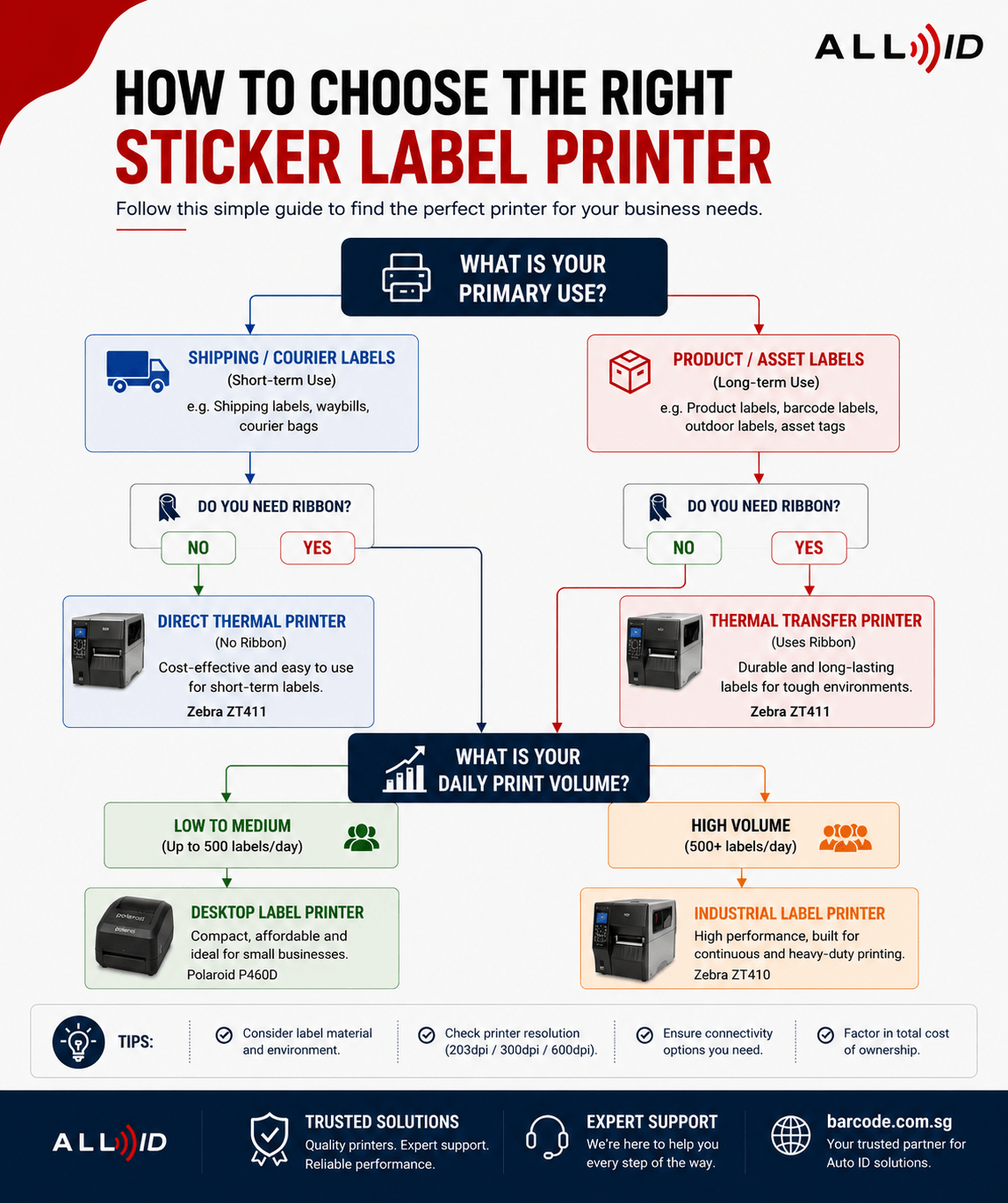
Selecting the right label printer for stickers depends on several operational and technical considerations.
Print Volume
One of the most important factors is daily print volume.
A small retail business printing a few hundred labels weekly will have very different requirements from a warehouse printing thousands of shipping labels daily.
As a general guide, remember that:
- Desktop printers are suitable for low to moderate print volumes
- Industrial printers are better for high-volume operations
Underestimating print volume can lead to slower operations, increased downtime, and premature equipment wear.
Label Material
Different applications require different label materials.
Examples include:
- Paper labels for retail and shipping
- Synthetic labels for water resistance
- Polyester labels for chemical exposure
- Freezer-grade labels for cold storage
- Tamper-evident labels for security applications
Not every sticker printing machine supports every material type, so compatibility is important before selecting a printer. Make sure to check with your service provider what printer and printing material they recommend for your specific operational environment.
Sticker Size
Businesses should also consider the label dimensions required for their operations.
For example:
- Shipping labels are often larger
- Product packaging labels may require smaller sizes
- Asset labels may require narrow-width printing
- Shelf labels may use continuous media or tape formats
Choosing a printer that supports your required label width and shapes helps avoid operational limitations later.
Durability Requirements
The label environment matters significantly.
If labels are exposed to:
- Sunlight
- Moisture
- Chemicals
- Abrasion
- Refrigeration
- Outdoor conditions
then thermal transfer printing is usually more suitable than direct thermal printing.
For example, warehouse rack labels and outdoor inventory tags typically require more durable materials and printing methods than short-term courier labels.
Print Resolution
Print resolution has a greater impact than you think. It affects:
- Barcode readability
- QR code clarity
- Small text visibility
- and overall print sharpness
Typical resolutions include:
- 203 dpi for standard shipping labels
- 300 dpi for product labels and smaller barcodes
- 600 dpi for highly detailed labels or electronics applications
For businesses that rely heavily on barcode readability and QR code clarity, it is also important to pair the printer with suitable barcode scanners to ensure labels can be scanned accurately across retail, warehouse, and logistics workflows.
Businesses printing small QR codes or detailed product information may benefit from higher print resolutions.
Workflow and Connectivity
Modern businesses often require integration with existing operational systems.
Depending on the environment, businesses may require:
- USB connectivity
- Ethernet networking
- Wi-Fi capability
- Bluetooth printing
- POS integration
- Warehouse management system integration
- Mobile printing support, including printing from a phone or PC.
A busy warehouse may prioritise network connectivity for multiple workstations, while a retail shop may prefer compact USB-connected systems.
Which Sticker Printer Machine Is Best for Different Business Types?
SMEs
Small and medium businesses often benefit from compact desktop thermal printers or inkjet models because they are affordable, simple to operate, and suitable for moderate print volumes.
Retail Businesses
Retail stores commonly use barcode and sticker label printer systems for:
- pricing labels
- shelf tags
- promotional stickers
- and barcode printing
Fast output and compact design are often priorities in retail environments.
Warehousing and Logistics
Warehouses typically require:
- durable barcode labels
- fast printing speeds
- and continuous daily operation
Industrial thermal transfer systems are commonly preferred for these environments.
Manufacturing
Manufacturing operations often require labels resistant to:
- chemicals
- abrasion
- moisture
- oils
- and heat exposure
Thermal transfer printing is usually the preferred choice for long-lasting identification labels.
Product Packaging Businesses
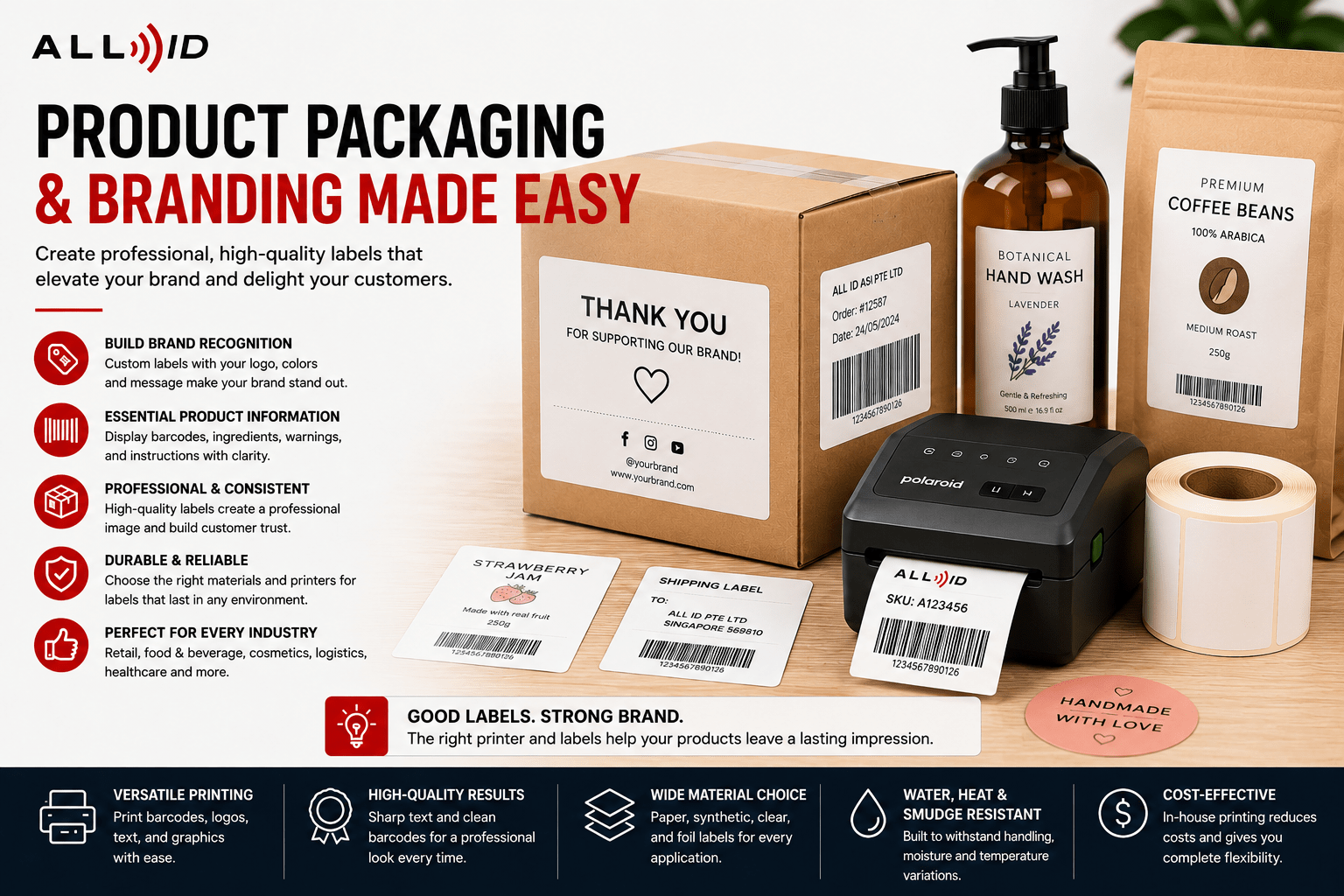
Businesses focused on product packaging may prioritise: For products exposed to moisture, handling, or refrigeration, businesses may also consider waterproof sticker labels to help maintain barcode readability and packaging quality.
- print clarity
- waterproof materials
- branding consistency
- professional presentation
Inkjet printers can produce vibrant, glossy, or matte labels that meet these needs. However, the right solution depends on whether the labels are operational barcodes or customer-facing packaging labels. Speak to an expert in the field to find the correct solution for your business needs.
When Should You Use a Label Printer Instead of Standard Office Printing?
While office printers can occasionally print sticker sheets, they are not designed for high-efficiency label production.
Businesses using standard office printers for labelling often experience the following limitations.
- alignment inconsistencies
- slower printing
- paper jams
- wasted labels
- barcode scanning failures
- higher ink consumption
Dedicated label printers are designed specifically for roll-fed printing and operational efficiency.
Benefits include:
- faster printing speeds
- improved barcode accuracy
- continuous label production
- less downtime
- better material compatibility
- lower long-term maintenance needs
For businesses printing labels regularly, a dedicated sticker label printer is usually more reliable and cost-effective over time.
Browse Sticker Label Printers for Business Use
Businesses looking to explore professional labelling solutions can browse a range of desktop and industrial printers here. The collection includes printers suitable for varying business needs.
To support daily printing operations, businesses should also choose compatible label printer supplies, including suitable labels, ribbons, and materials for their printer type.
Common Mistakes to Avoid
Choosing the Wrong Print Method
Direct thermal and thermal transfer technologies serve different purposes. Selecting the wrong method can reduce label lifespan and increase replacement costs.
Ignoring Label Material Compatibility
Not all printers support every label type. Businesses should confirm compatibility before purchasing large quantities of media.
Underestimating Print Volume
A low-duty printer may struggle in high-demand environments, leading to performance issues and workflow disruptions.
Choosing Based on Price Alone
The cheapest printer is not always the most cost-effective long-term option.
Businesses should also evaluate the below requirements before investing in a printer.
- durability
- print quality
- operational efficiency
- maintenance needs
- and scalability
FAQs
What is a sticker label printer?
A sticker label printer is a specialised printer designed to print adhesive labels, barcodes, tags, and product stickers for operational and packaging purposes.
What is the difference between a sticker printer machine and a label printer machine?
The terms are commonly used interchangeably. Both generally refer to printers used for adhesive label and sticker printing.
Which sticker printer is best for small businesses?
Desktop thermal printers or inkjet models with refillable ink tanks are often suitable for small businesses because they are compact, affordable, low maintenance, and easy to operate.
Can label printers print waterproof stickers?
Yes. Thermal transfer printers using synthetic label materials and resin ribbons can produce waterproof and highly durable labels.
Do I need direct thermal or thermal transfer printing?
Direct thermal is suitable for short-term applications such as shipping labels, while thermal transfer is better for durable labels exposed to moisture, heat, abrasion, or chemicals.
Can I print stickers from my phone or PC?
Many modern label printers support Bluetooth or Wi-Fi connectivity, allowing printing directly from smartphones or PCs for convenient mobile or desktop label creation.
Is maintenance expensive for sticker label printers?
Most modern printers are designed for low maintenance. Inkjet printers with refillable tanks reduce ink costs, while thermal printers require minimal upkeep, making them cost-effective for businesses.
Take the Next Step
Choosing the right sticker label printer can improve efficiency, reduce printing errors, and support smoother operations in SME environments. Whether you need a compact sticker printer for small business use or a high-volume label printer machine, the right solution helps streamline workflows and support business growth.
Explore Barcode.com.sg for reliable label and sticker printing machines, barcode scanners, and expert recommendations tailored to your operational needs.
